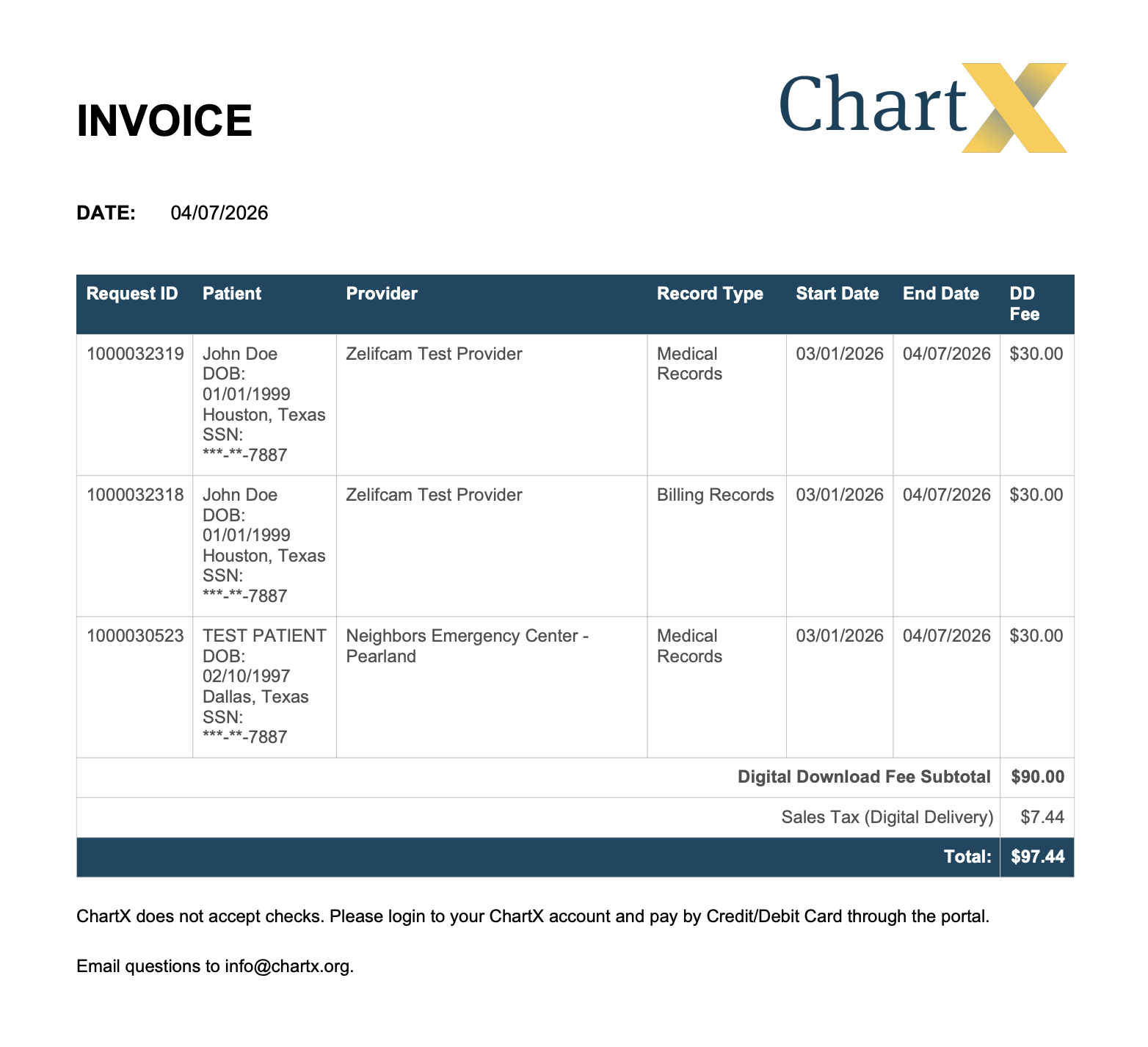


Invoices can be found in the ChartX portal before you pay for a request. These invoices calculate the amount owned for any Digital Download fees. Provider Fees are estimates and an invoice is provided when upon completed of the records. Receipts can be found in the ChartX portal after you pay for a request.
When creating a new request, you can find the invoice on the confirmation page (the last screen before submitting the new request). Click Digital Download Fee Invoice.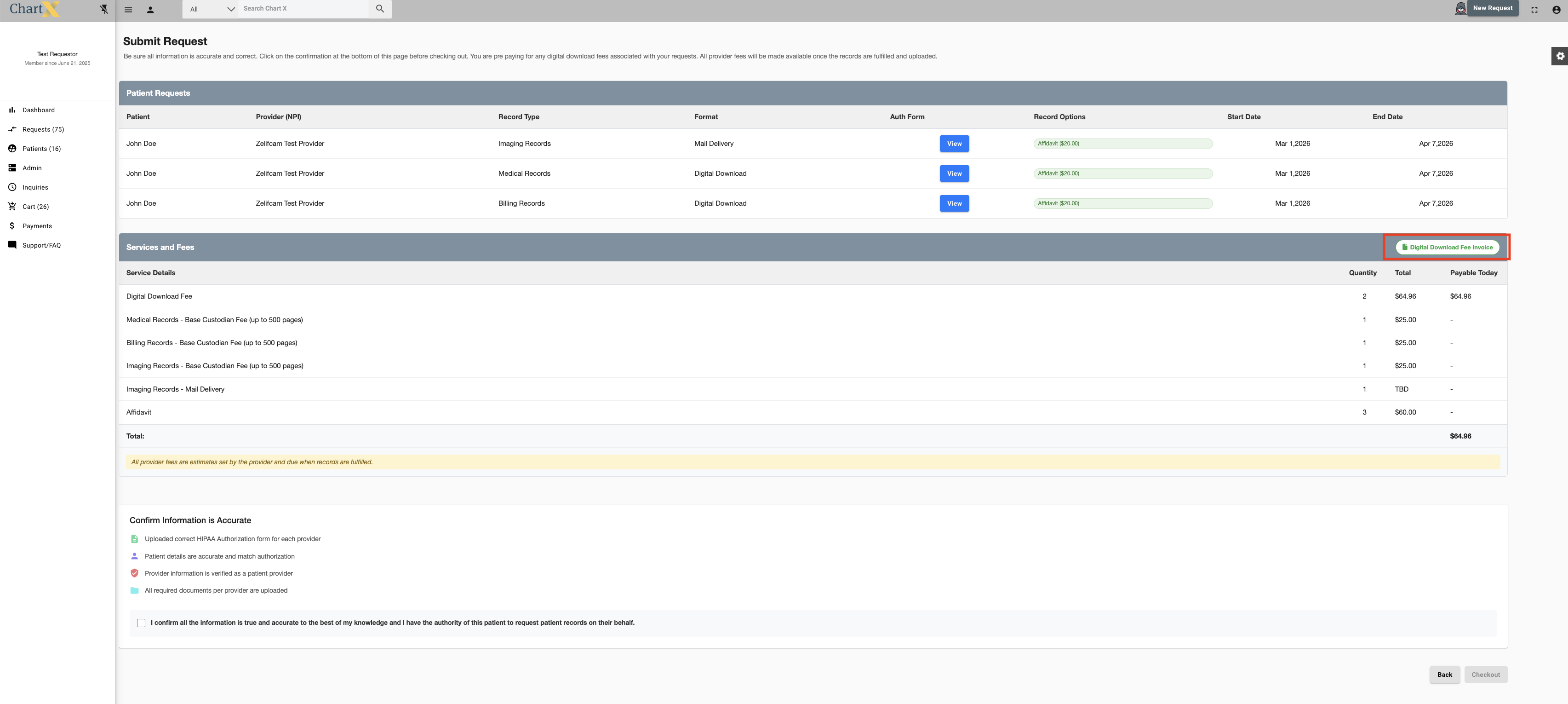
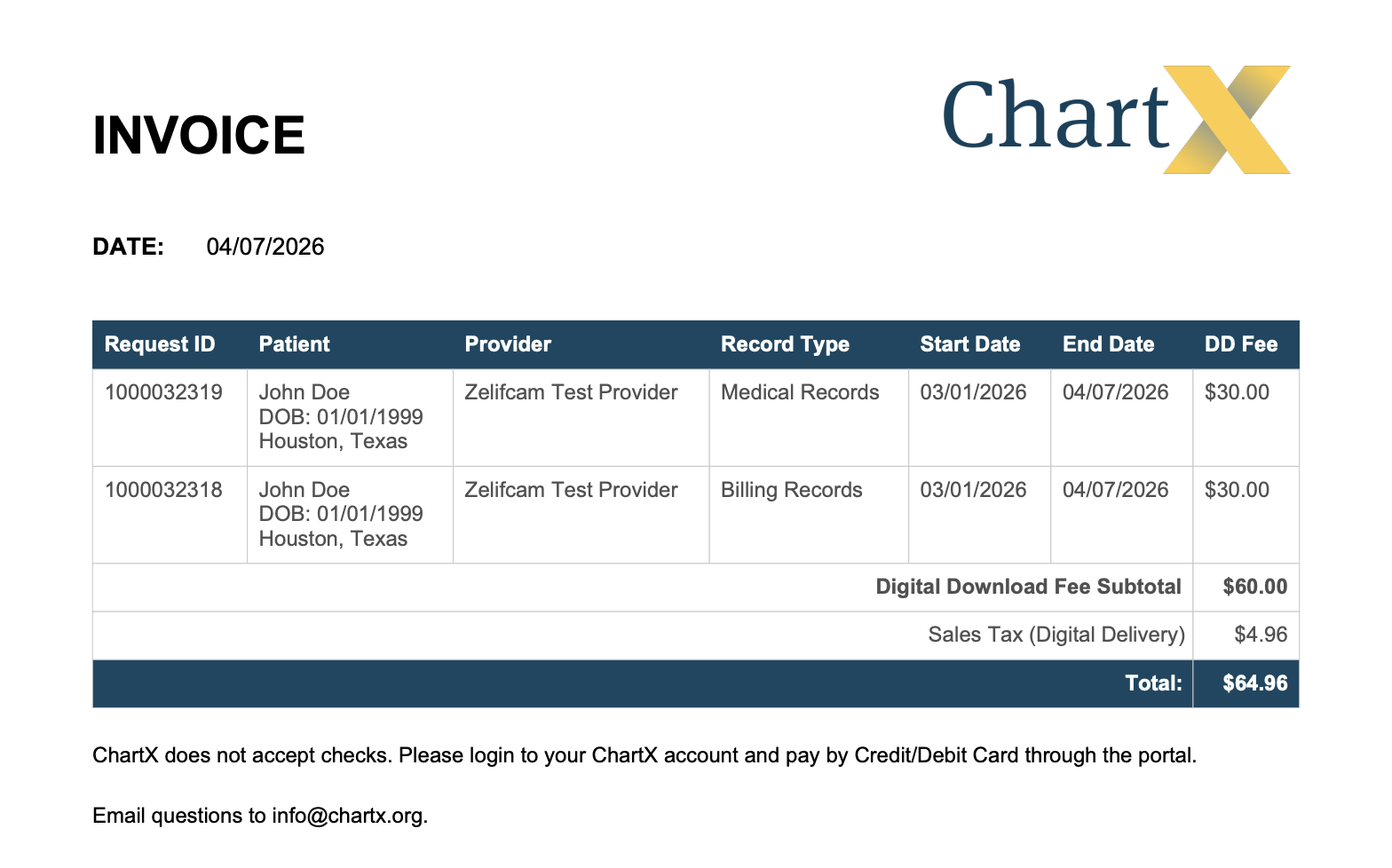
An invoice will download to your computer and look like this.
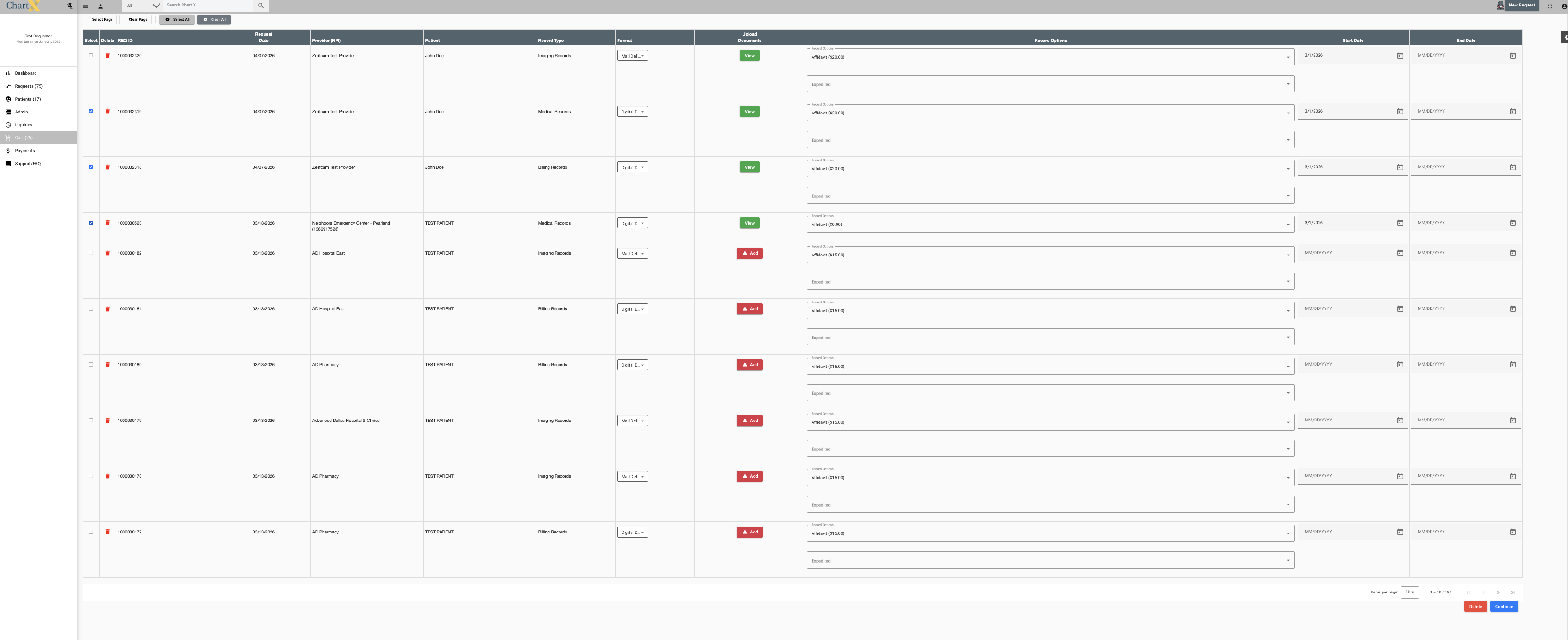
You can also generate an invoice for multiple patients by accessing the Cart. Click the request(s) you want to pay for then click Continue.
You can find the invoice for multiple patients on the confirmation page (the last screen before submitting the new request). Click Digital Download Fee Invoice.
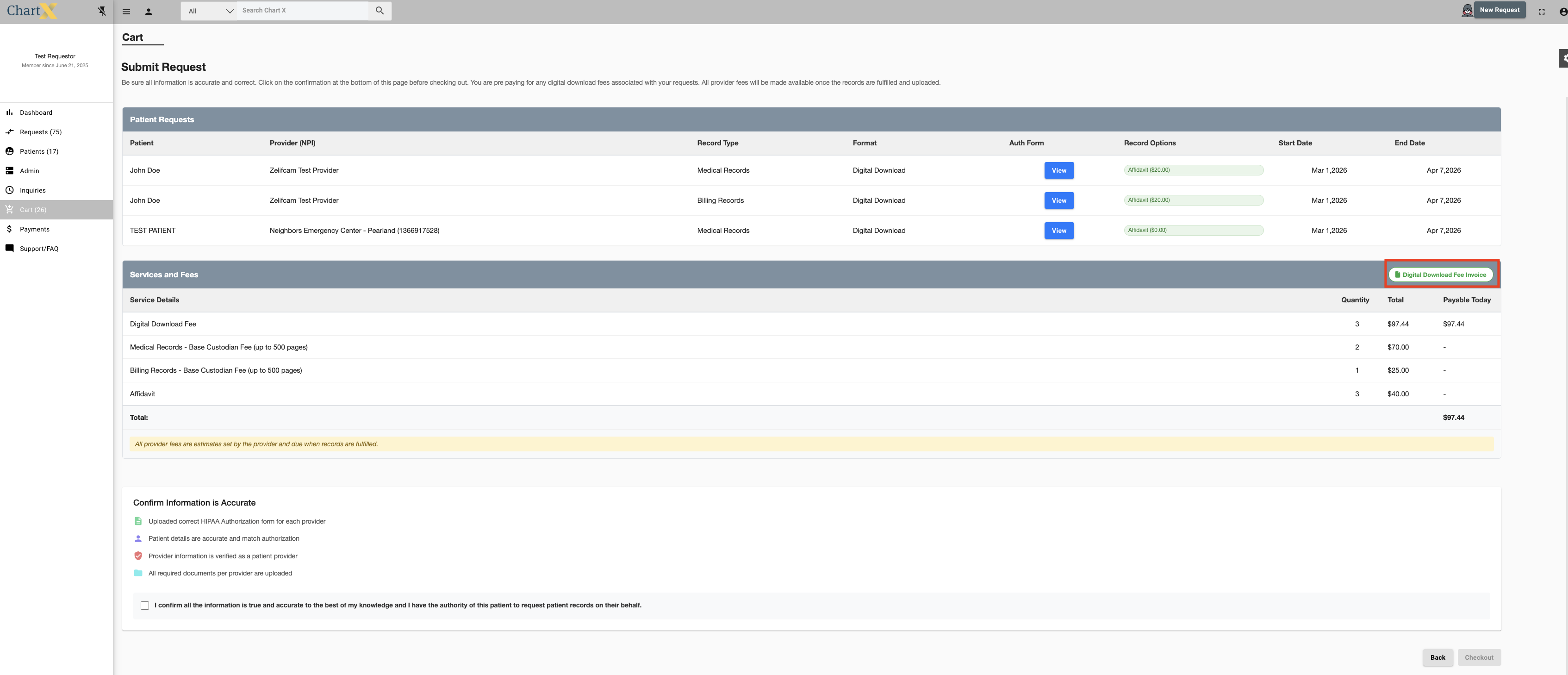
An invoice will download to your computer and look like this.